Bring your resources together
Keep videos and articles in one list. A course, a new hobby, or a topic you want to understand can each have their own place.
FavLock Lists
Turn a handful of videos and articles into a list you can work through. Choose the order, check off what you finish, and pick up where you left off.
Create your FavLock library with the free plan.
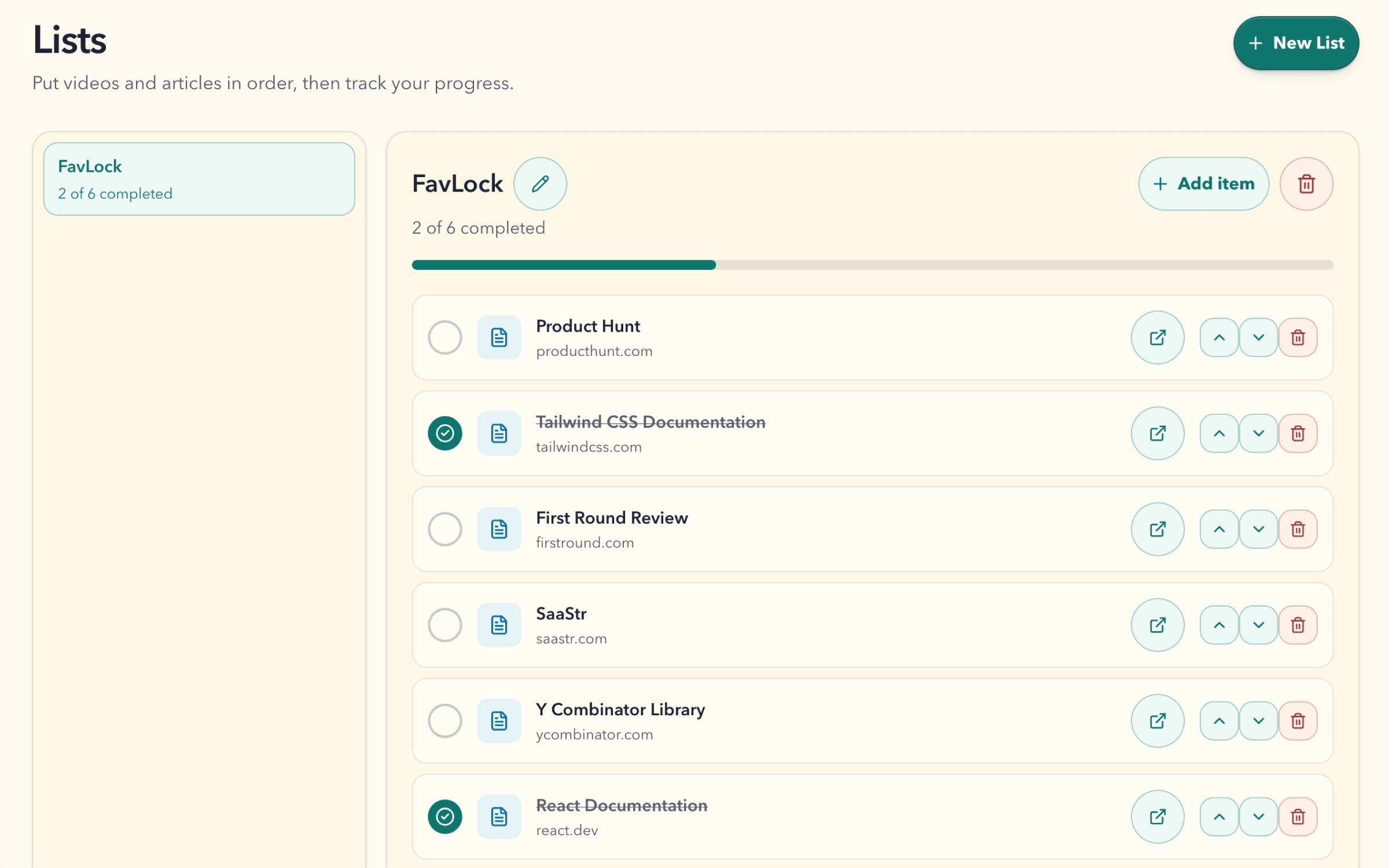
Keep videos and articles in one list. A course, a new hobby, or a topic you want to understand can each have their own place.
Move items into an order that works for you. Start with the basics, then make room for the resources you want to explore next.
Mark an item complete when you finish it. The completed count and progress bar make it easy to see what is left.
How it works
Give it a short name, such as Learn watercolor or Q3 onboarding.
Pick bookmarks from your library, or add the page you are on from the Chrome or Firefox extension popup.
Use the arrows to move each item up or down until the list reads like a plan.
Mark an item complete when you finish it. The list shows how many you have completed and a progress bar.
Lessons from different sites, in the order you want to take them.
Talks or tutorials you want to watch one after another.
Articles and papers for a topic you want to understand properly.
The docs and tools to work through in your first weeks somewhere new.
Use a list for the tutorials you want to watch or articles you want to read. Reorder the resources and mark each one complete.
For example: Learn front-end development.
Use a task for something you need to do. Add an optional due date when the timing matters.
For example: Build my first portfolio page.
Explore Tasks →Any bookmark in your library, including videos, articles, and documentation pages. A list item is a saved bookmark, so it keeps its title, collection, and tags.
No. Deleting a list removes the list and its order and progress. The bookmarks stay in your library.
3 on Free. Unlimited on Pro.
Lists are part of your encrypted library. List names and the bookmarks in them are protected the same way as the rest of your saved links.