The boundary
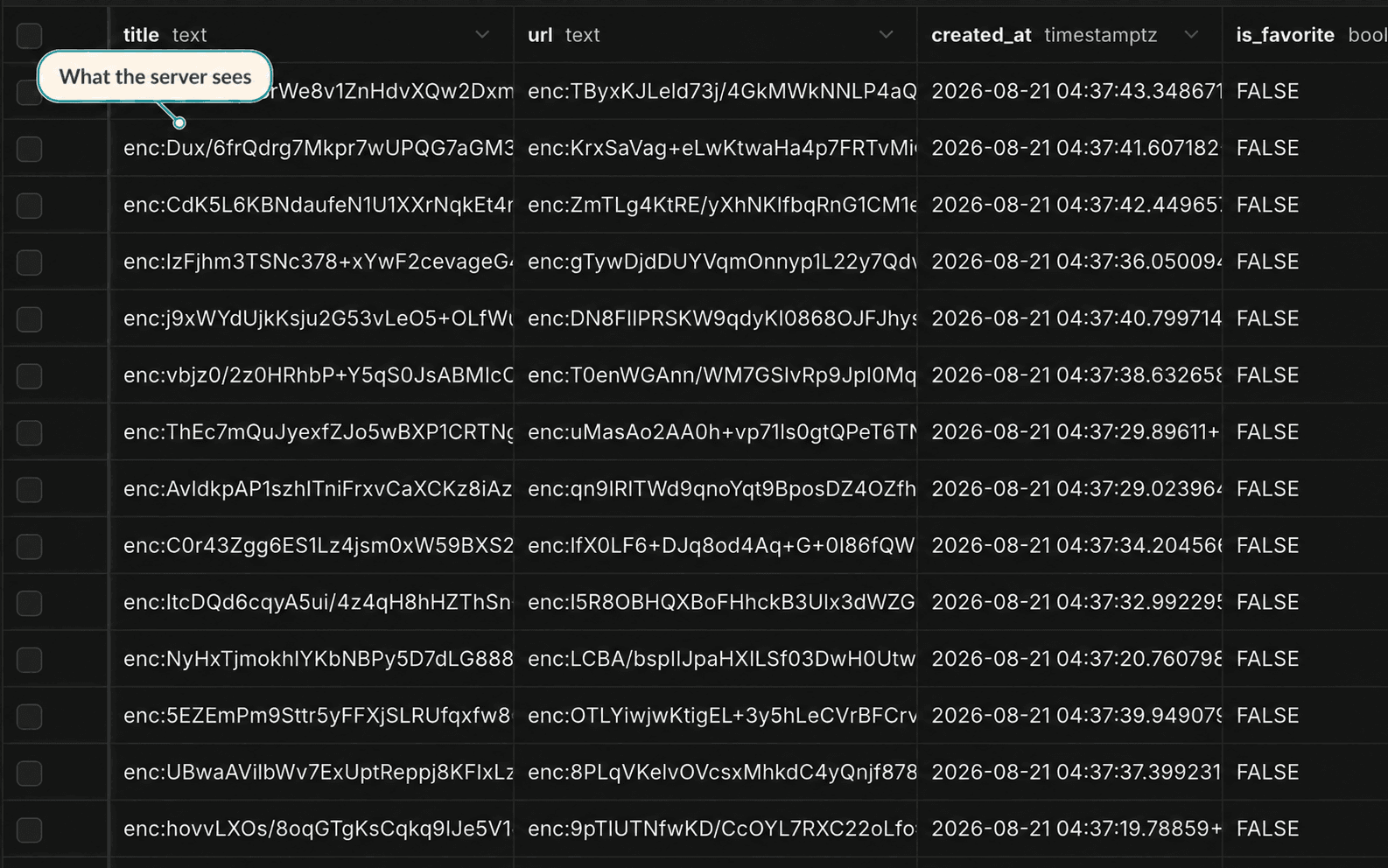
Encryption protects content, not every piece of service data.
FavLock needs some unencrypted information to authenticate your account, synchronize changes, enforce limits, and operate the service. Here is the practical dividing line.
Bookmark titles and full URLs; note and task titles and content; saved-article titles, text, source links, and citation details; collection, tag, and List names; and synced search history.
Account details, record identifiers and types, timestamps, relationships between records, favorites, task completion and due dates, settings, usage counts, and technical logs.
The encryption key and decrypted search cache may be stored in a browser profile you choose to remember. Lock & clear removes that local key and decrypted cache.
To show a site icon, your browser may send a bookmark's shortened main domain to DuckDuckGo's favicon service. Opening a bookmark or submitting a web search sends the destination or query directly from your browser to that third party under its own privacy terms.
Designed to protect against
- A database leak exposing readable protected library content.
- A storage provider or database operator casually reading protected fields.
- Server-side indexing or profiling of your protected library content.
- Someone reading protected content after signing into your account without also having a way to unlock your encryption key.
Not designed to protect against
- Malware, a malicious browser extension, or another person controlling an unlocked device.
- Anyone who obtains your encryption key, recovery copy, passkey access, or transfer QR.
- Deletion or disruption by an attacker who controls your account or FavLock's infrastructure.
- A malicious version of the web client. FavLock delivers the browser code, so a compromised service could change that code to capture data after you unlock.
Recovery is intentionally in your hands.
Your FavLock password signs you in; it does not decrypt your library. A passkey can protect an encrypted copy of your library key, while a recovery-key copy or an already unlocked device gives you another route back in. FavLock never receives the plain-text key and cannot create a replacement that decrypts the same data.
If you lose the key everywhere and have no working recovery method, the encrypted content remains stored but is permanently unreadable. Support cannot bypass this boundary.
Want the operational details?
Read the security guide for key setup and device recovery, or the privacy policy for data processing, providers, and retention.