FavLock Write
A quieter space for your ideas.
Work through a thought, draft a plan, or keep notes beside your saved research. Use rich formatting when it helps and Focus mode when you want room to think.
Part of your FavLock library. No separate writing subscription.
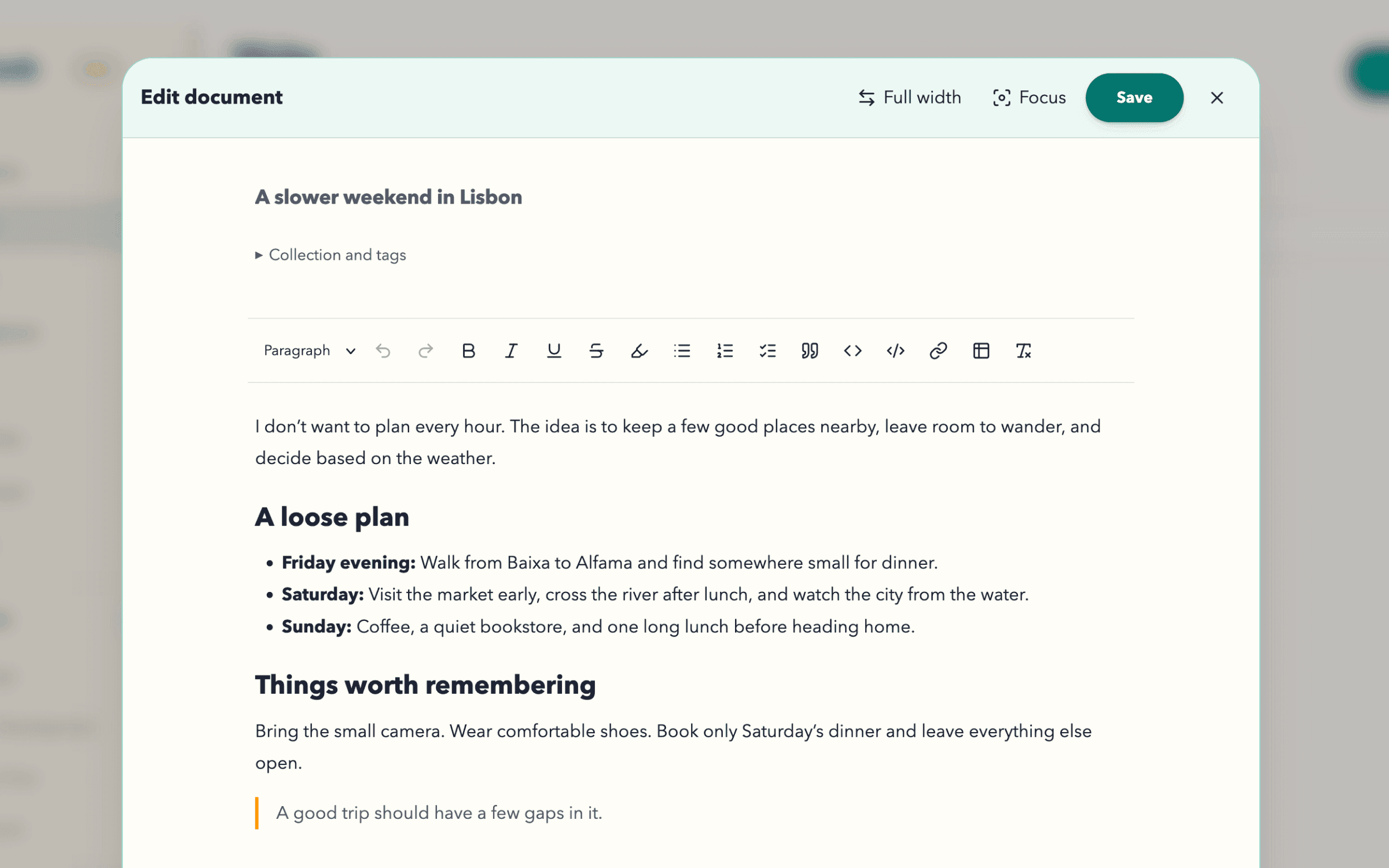
From a passing thought to something worth keeping.
Give your ideas shape
Headings, highlights, checklists, quotes, and simple tables. Paste supported formatting or copy it into your next draft.
Make room to write
Focus fills the window and tucks document details away. Choose comfortable lines or full width independently.
Keep the context close
Use collections and tags to bring documents, saved links, and articles together. Return to the idea and the research behind it.
Tasks
Give your plans a next step.
Book the table. Read the guide. Pack the camera. Keep encrypted tasks beside the documents and links they belong to.
Start planning for free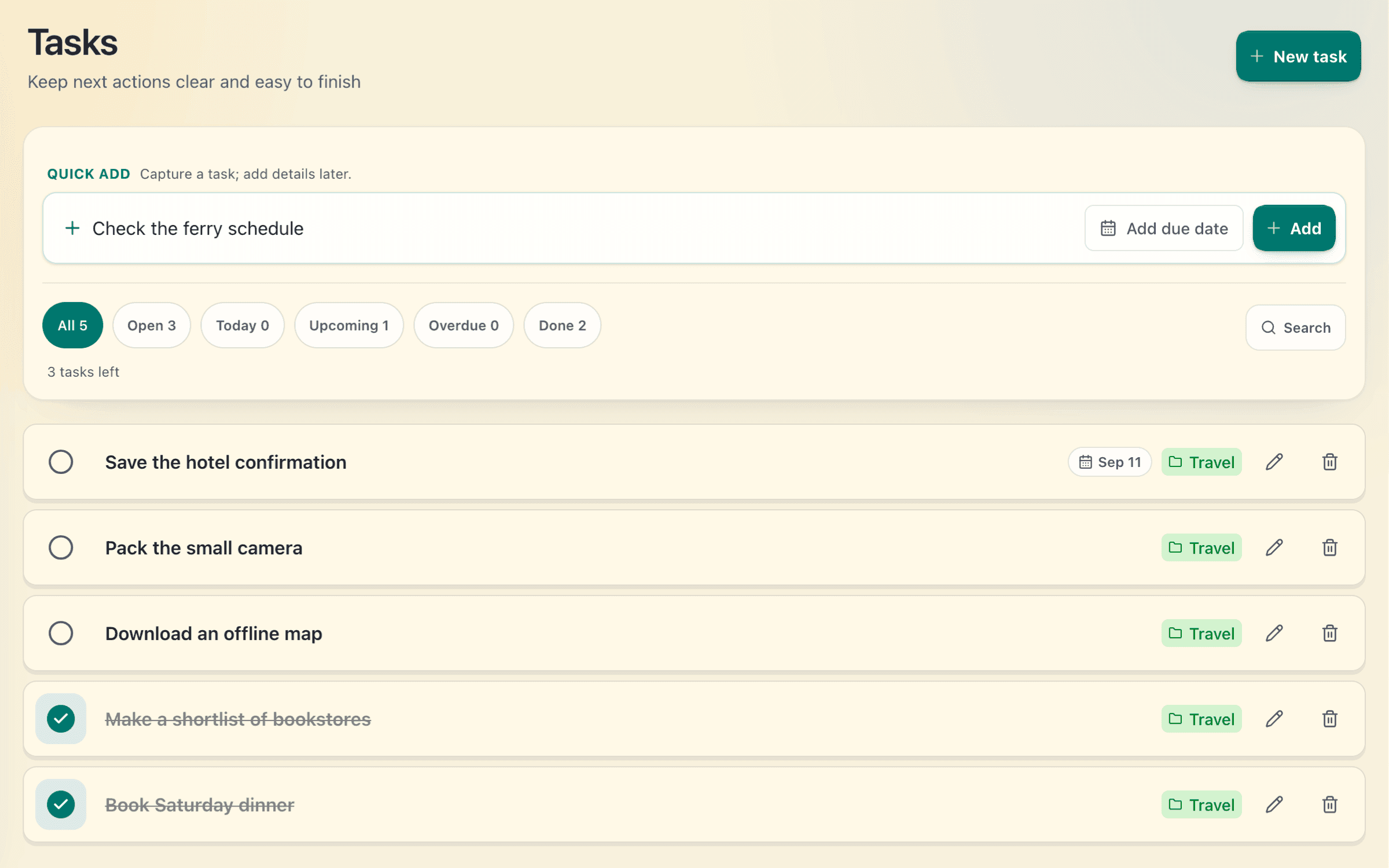
Capture the next step
Quick-add a task the moment it comes to mind. Open it later to add notes, a collection, or tags.
Dates when they help
Add an optional due date, then filter by Open, Today, Upcoming, Overdue, or Done.
See what you have finished
Check off a task and find it again in Done. Completed it by mistake? Undo it straight away.
Your words, encrypted before they leave your browser.
Document and task titles and content use your library’s separate encryption key. Account and operational data are processed separately.
Understand what is protectedSave, then stay in the flow.
Save a new document once. Further edits save after a short pause while you keep writing. The editor stays open.
Encrypted local drafts help you recover unfinished work in the same browser. Check the save status before leaving, and save before signing out.
The same editor. More room when you need it.
Rich formatting, Focus, full width, and encrypted documents are included on both plans. Documents and tasks share one allowance.
Free
50 documents + tasks
Search titles, tags, and collections.
Pro
1,000 documents + tasks
Also search document content locally on your device.
Up to 10,000 characters per document body on either plan. Images, attachments, and embeds are not supported.
Compare all plan limitsBefore you start writing
Can I paste and copy formatted text?
Yes. Paste keeps supported formatting such as headings, emphasis, lists, links, and simple tables. Copy as formatted or plain text. Complex page layouts, images, and embeds are not supported, and clipboard access depends on your browser’s permissions.
When does my document save?
Choose Save for a new document. After that, edits save automatically after a short pause while the editor is open and connected. Saving keeps the editor open. If a save fails, check the status and retry; a local draft is not a confirmed cloud save.
What happens if I lose my connection?
Once your library is unlocked, you can keep editing an open document. Write keeps an encrypted draft in that browser and can offer it when you reopen the editor. Drafts depend on browser storage and are cleared when you sign out or switch accounts. They are not a backup or a background sync service.
Do tasks need a due date?
No. Dates are optional. Keep a simple list of next steps and add a date only when the timing matters.
Are tasks separate from my documents allowance?
No. Documents and tasks share one allowance: 50 on Free and 1,000 on Pro.
Can I recover a deleted document or task?
Deleting a document or task moves it to Trash. Restore it during your plan’s recovery period. Permanently deleted or expired items cannot be recovered.
Is Write a separate subscription?
No. Write is part of FavLock, with the same editor on Free and Pro. Pro raises your shared document and task allowance and adds local search inside document content. Write is for your own documents; live collaboration and version history are not included.