See confirmed broken links
The review stays focused on links FavLock identifies as broken instead of filling the page with redirects or restricted websites.
FavLock Broken Link Monitor · Pro
Check your saved links, review the confirmed broken ones, and move bookmarks you no longer need to Trash.
Broken Link Monitor is available with FavLock Pro. URLs are sent temporarily to FavLock's API for checking and are not saved by the service as part of that check.
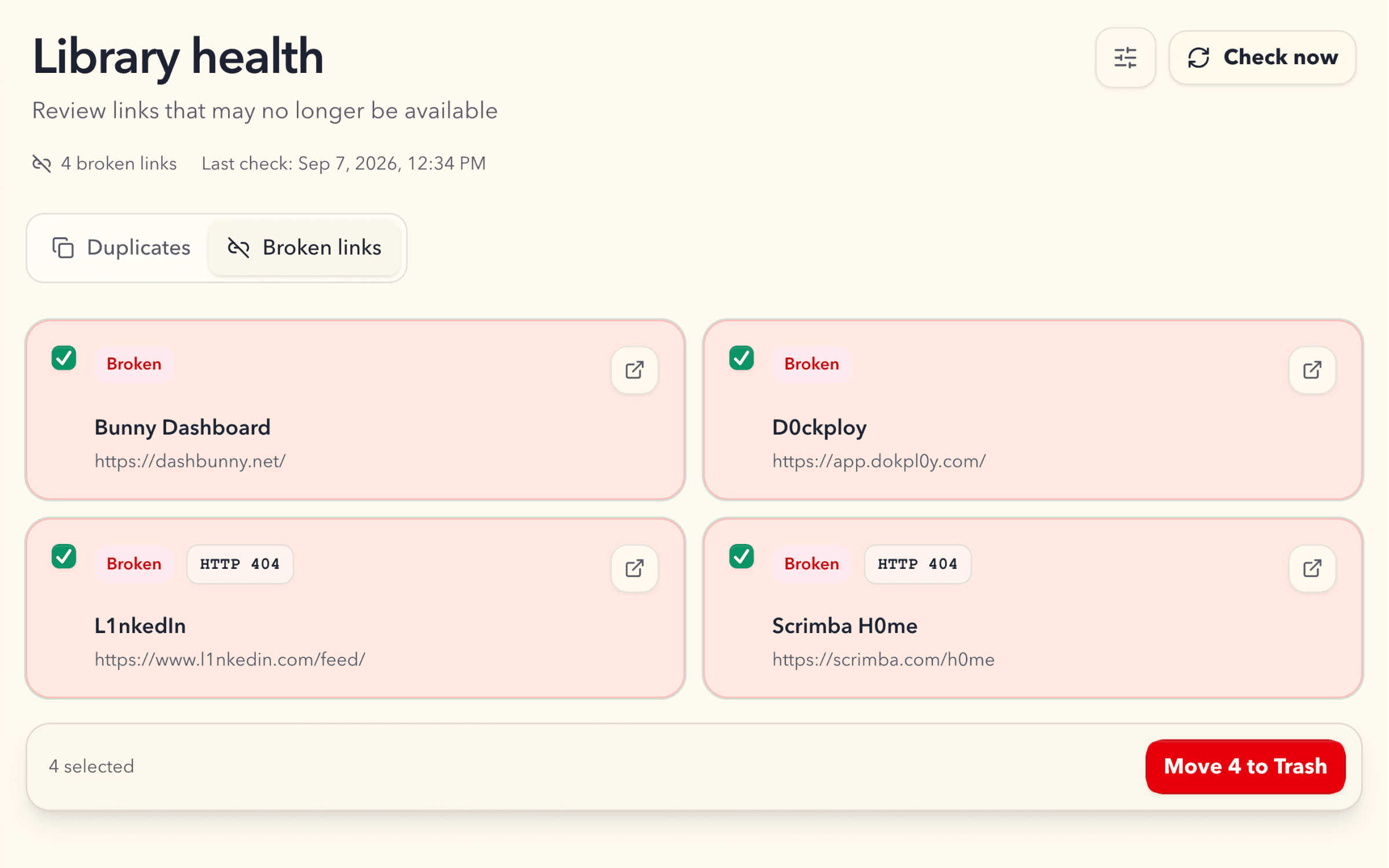
The review stays focused on links FavLock identifies as broken instead of filling the page with redirects or restricted websites.
Run a check when you want one, or enable an automatic check after sign-in when seven days have passed.
Select the broken bookmarks you no longer need and move them to Trash, where they remain recoverable for your plan's recovery period.
How it works
In your Pro library, open Library health in the sidebar and choose Broken links.
Choose Check now. Each address is checked once, even if you saved it several times with tracking parameters or a different #section. Pause and resume whenever you like.
Only links that are clearly gone appear in the review, so you are not sorting through redirects and sites that block automated checks.
Select the results and move them to Trash. They stay recoverable for 30 days on Pro.
Every checked address gets one of four results. Only confirmed broken links reach the review, so a site that is down for a moment or blocks bots does not end up in your Trash.
| Result | In the review | What it means |
|---|---|---|
| Broken | Shown in the review | The page returns 404 Not Found or 410 Gone, or the website’s domain no longer exists. |
| Redirected | Not shown | The address forwards somewhere else. The page may have moved rather than disappeared. |
| Restricted | Not shown | The site requires a login or blocks automated checks (for example 401, 403, or 429). Private and local network addresses are not checked and count as restricted. |
| Unverified | Not shown | The check timed out, the server kept failing after retries, or there were too many redirects. |
The check asks each website for the page, retrying temporary errors up to three times with a six-second timeout. A link counts as broken only when the site says the page is gone (404 or 410) or the domain no longer resolves.
Automatic checking is off until you turn it on. When it is on, FavLock checks again after you sign in once seven days have passed since the last completed check.
No. Broken Link Monitor needs a Pro cloud account because the checks run through FavLock’s API. It is not available in local mode.
Browsers cannot reliably check arbitrary websites directly. Your unlocked device sends the URLs temporarily to FavLock's API for checking; the service does not save them as part of the check.
They are not included in the broken-link review. The page shows confirmed broken links so you can focus on results that are useful to clean up.
Yes. Check progress and results are saved on the device, and a paused check can continue from its saved progress there.